The steps below outline the process to update your Unity SCADA account as part of the April 2026 security upgrade.
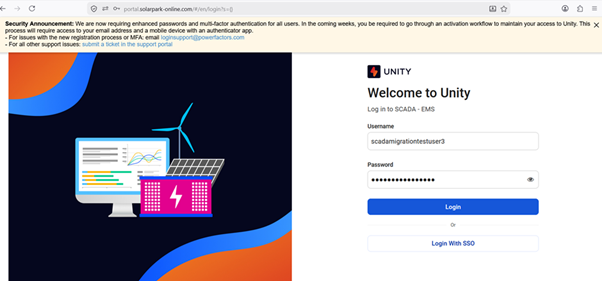
Login to SCADA Website with your regular username and password and click on Login.
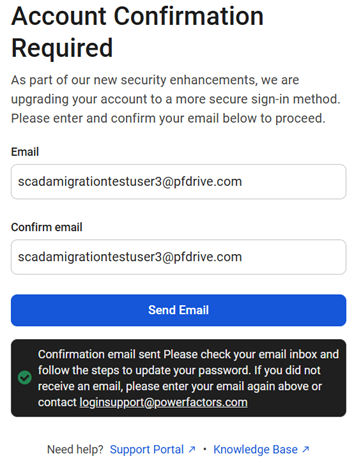
You will see this screen to confirm your email address. Enter your email address and click on send email
You will receive an email from Power Factors noreply@powerfactors.com
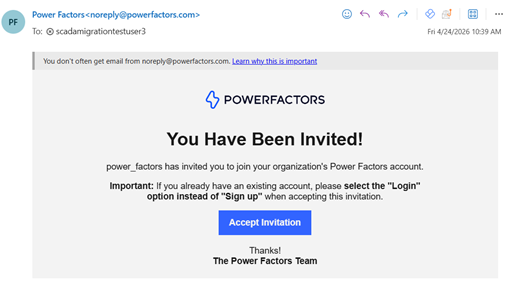
Click on Accept invitation
You will be redirected to the below page to enter the password
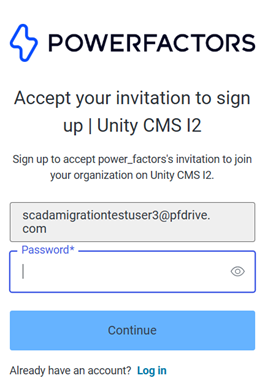
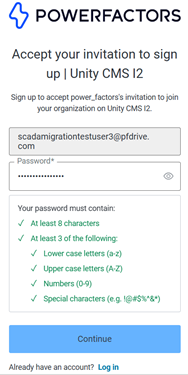
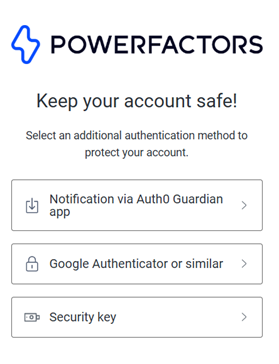
If you receive an error when setting your password, you may have already setup a Power Factors account on another product or domain. Try clicking Log In in order to login with your existing accountFor additional security to protect your account, you will be asked to choose MFA method. Google Authenticator is preferred.
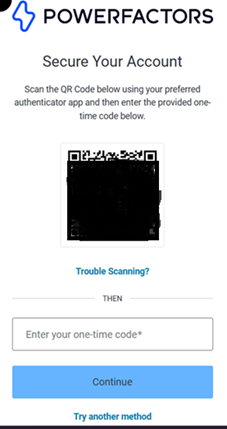
Install authenticator app on your phone and scan the QR.
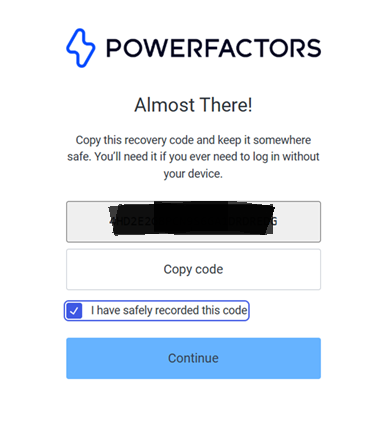
Copy the recovery code and save it securely.
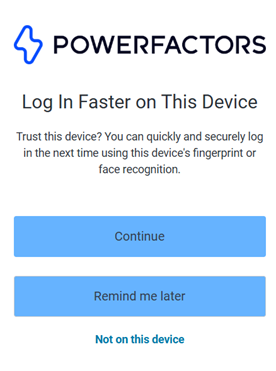
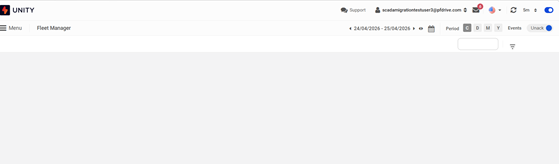
Congratulations! You have completed the migration! You can now login to the SCADA portal by entering your email/password and clicking on login with SSO
Was this article helpful?
That’s Great!
Thank you for your feedback
Sorry! We couldn't be helpful
Thank you for your feedback
Feedback sent
We appreciate your effort and will try to fix the article